Mostrando entradas con la etiqueta remote pc access. Mostrar todas las entradas

jueves, 6 de enero de 2011

Access Pc Software Hardware

Two yrs. ago, a citizen of White Plains, New York assumed form of a victim to laptop theft. It was reported that he left his laptop computer on top of his car, prompting its theft. Work articles, pictures, internet site entry and other necessary information, gone in one day.

Access Software


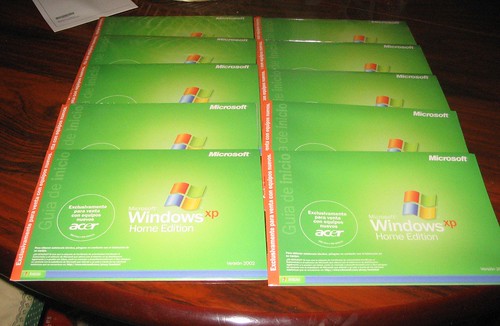
Ejemplo de software privativo Inutil by Sonicraver


Today's remote control PC entry software works seamlessly with almost every working system, firewall, network and antivirus package on the market. You may possibly well not even know that it's running on nearly any trendy computer that you will find, and there exists the little secret that your business will possibly not desire you to be aware about.


Whether you're choosing a holiday or business tour remote control PC entry computer software is the ultimate option for you. The installing of the computer software could be very easy and scarcely takes any time. You may then access all of the details from any setting even though it's a hundred miles away. Consider if you want a few details urgently or desire admission to certain crucial records or facts urgently. Chances are you'll sit and download and read all the info or copy all the files in your own pen drive or CD and take it together with you.


I am positive that you are able to start to see the likely if your an office employee who has to commute a lot. Since online connections are virtually with out limits these days, it allows you to access your work PC from wherever internationally and at any time you prefer without disrupting anything in your network.

If its versatility you are looking for then that is a scrap of computer software well value investing in. In case you are a business owner, then remote PC access computer software may transform your company and give you and your staff members complete mobility and a much improved and really powerful ways to have interaction and collaborate.

Discover more about access pc software here.
Elin Rehrig is this weeks Access Pc Software expert who also informs about data recovery renton,machine gun games,computer program definition on their web resource.

jueves, 9 de diciembre de 2010

All About Remote PC Access Programs

Sometimes, you're not near your computer, and you just need something on it. Or you want to let a technician into the inner workings of your machine, so that they can figure out what's wrong with it. People in either of these situations can benefit from having some form of remote PC access.

The software is a program that allows access to your computer's software and files from a different physical location, thus the name remote access. It can be configured to allow only certain programs and files to be accessed, keeping the security problem somewhat under control. But the opening that remote software creates can allow hackers to gain access, even if your settings are fairly private.

Microsoft began selling their operating systems with remote access software built in when Windows 2000 and XP came out. This version of remote software is not very highly thought-of, however-- it is generally considered buggy and hard to deal with. Windows 7 has software specifically for sharing media files with other computers, which is more popular. Free and purchasable software is available for download from the internet, as well. There are various reasons why remote access software can be useful. One is the ability to compile important information such as files and data on a single computer, and then allow access from other people in various locations who are all working on the same project. This can allow the possibility of a company or office where the people are not in the same physical location. Technical services also benefit from remote access software. Being able to let a technician find the problem themselves, rather than relying on the rather tedious process of asking you to perform tasks and report the results, can save time and money. Because in-person technical service can be so expensive, but technicians can find out much of the same information via remote access, it can be money saved without sacrificing quality, too.

Remote access software is usually created to work best with a particular operating system, such as Windows, Mac, or Linux. Sometimes these programs are later adapted to run on other systems. Do some research before choosing your remote access software, so that you can make sure your choice usually works well with your OS. There are potential security problems with remote access software. Opening the machine to access with remote software can allow bugs and viruses into your system, so it's always a good idea to have a backup of your computer made before installing the software. If you only use the software once or a few times, consider removing it, then wiping and restoring your computer after you are done.

The good parts and the bad parts of remote PC access software make the decision easy for some people, but most will have to think about it for a while. If you truly need the functions of remote access, the risks may be worth taking. If you can do without, then you might find more peace of mind by not using it. If you do install or run any kind of remote access software, make sure to keep your antivirus software updated.